 Skip to content
Who is this guide for?
For players checking a missing deposit, payout or bonus, or tracking how much they have spent. New to the platform? Our 13L Game login overview covers the basics first.
Quick facts
| Item | Details |
|---|---|
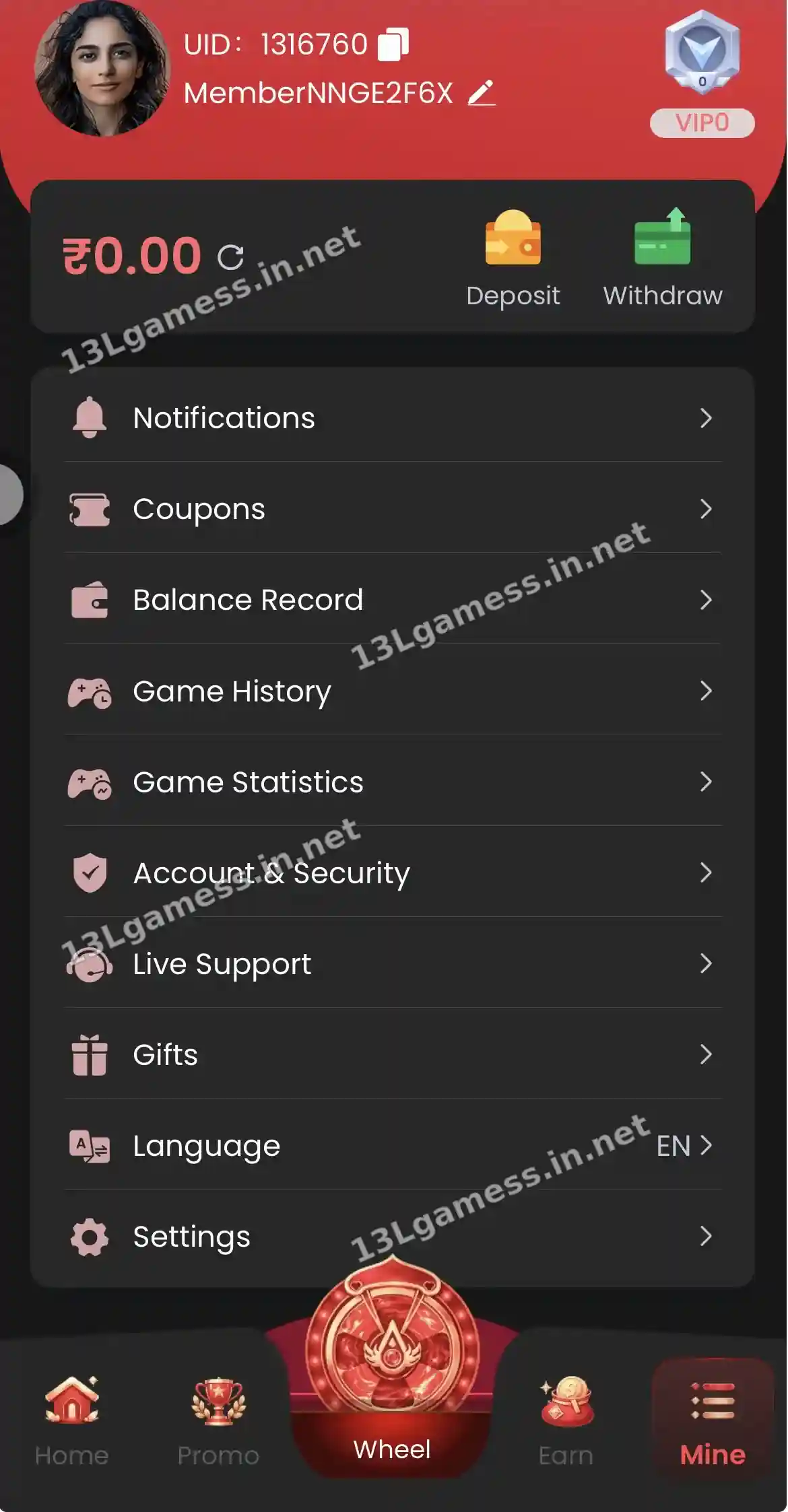
| Where | Mine → Balance Record |
| Shows | Deposits, bets, wins, bonuses, withdrawals |
| Use with | Your UPI or bank reference (UTR) |
| Related | Game History and Game Statistics |
Ready to open 13L Game?
These buttons open the 13L Game site and may be affiliate links. We are not the operator. 18+ only.
Step by step
- Open Mine → Balance Record.
- Filter or scroll to the date you need.
- Match each deposit to the UTR in your UPI app.
- Check that withdrawals show the amount you requested.
- Screenshot any missing entry for support.
What to compare
Start with the opening and closing balance around a disputed event. Note whether an item is labelled deposit, withdrawal, game entry, result, bonus, adjustment, fee, pending or reversed. Labels may differ in the current interface.
Reconcile a missing amount
Match the account record with the bank, UPI or wallet transaction ID. Time-zone differences and processing states can make the order look confusing. Do not assume a missing headline balance means the money disappeared before checking the detailed record.
Create a useful evidence set
Keep the date, approximate time, amount, method and platform reference. Capture only the relevant rows and redact unrelated balances or account identifiers before contacting support.
Watch for unexpected activity
If an entry does not match your actions, change the password from a clean device, review linked methods and contact verified support. Also notify the financial provider promptly when an external transaction is unauthorized.
Common problems and fixes
| Problem | Fix |
|---|---|
| Deposit missing | Self Service → Deposit Not Received |
| Withdrawal missing | Self Service → Withdrawal problem |
| Unknown entry | Change password and contact Live Support |
Frequently asked questions
Why does a pending item not affect the balance yet?
Pending status usually means processing is incomplete. The final outcome may be success, failure or reversal.
How long should I retain records?
Keep them until the transaction and any related support case are fully resolved, subject to your own privacy needs.
Can I download my 13L Game balance record?
We did not see an export option. Take screenshots if you need a copy.
Why is a bonus shown but not withdrawable?
Bonus money usually needs turnover first.
How far back does the record go?
Scroll through the record to see the history available.
Key takeaways
- Every balance change is listed with time and amount.
- Match deposits to your UTR.
- Use the record before filing a support request.
