 Skip to content
Who is this guide for?
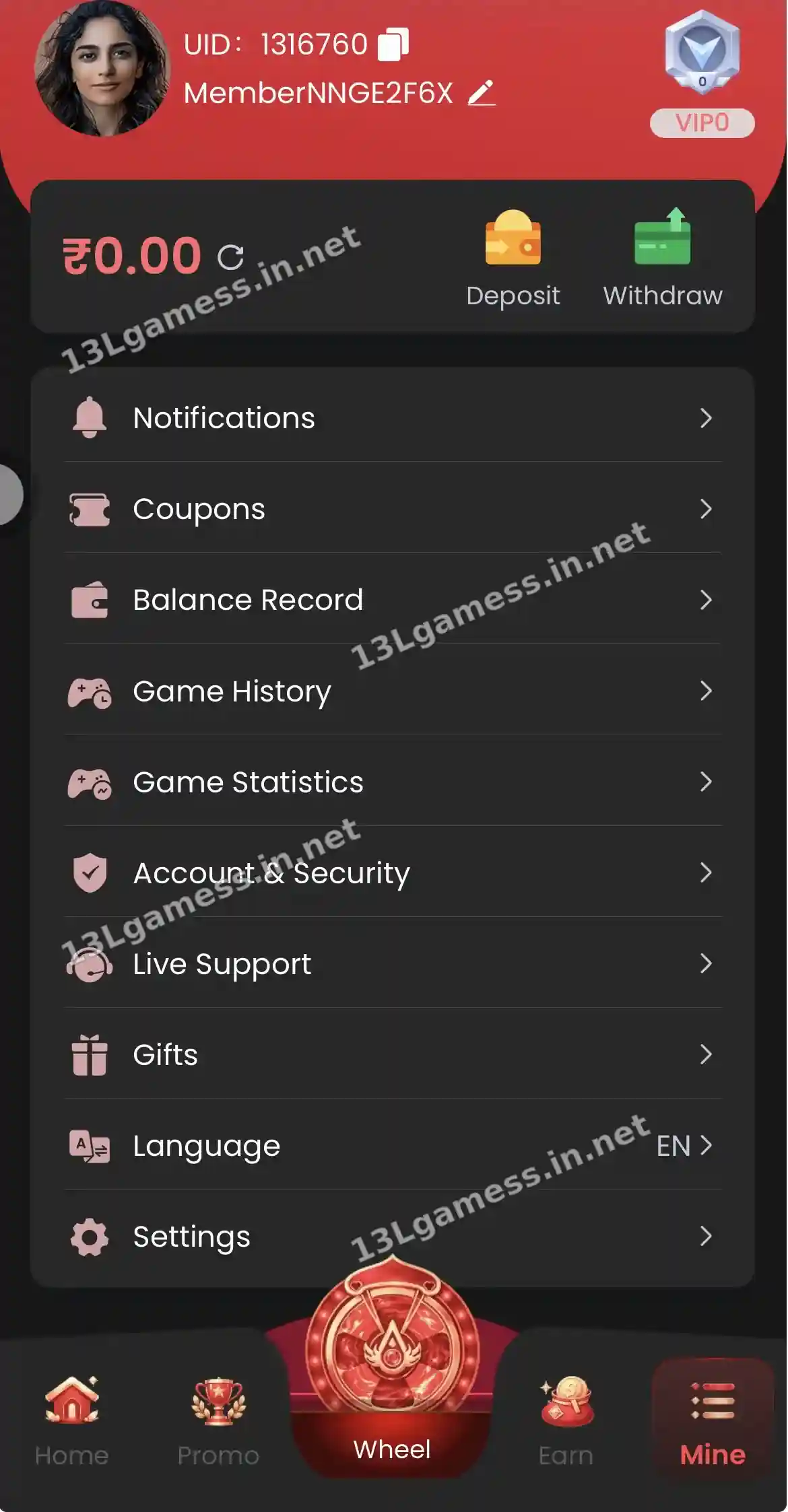
For players who want to secure their 13L Game account and adjust language and notifications. New to the platform? Our 13LGame overview covers the basics first.
Quick facts
| Item | Details |
|---|---|
| Account & Security | Password and account details |
| Language | Interface language (EN shown) |
| Settings | App preferences |
| Notifications | Platform messages and offers |
Ready to open 13L Game?
These buttons open the 13L Game site and may be affiliate links. We are not the operator. 18+ only.
Step by step
- Open Mine → Account & Security.
- Change your password to one you use nowhere else.
- Check that your withdrawal bank, UPI or USDT details are yours.
- Open Language and select your preferred language.
- Review Notifications and turn off ones you do not need.
- Log out of any shared device.
Review before changing
Write down which setting you intend to change and why. Check the current value, required verification and whether the change can be reversed. This is especially important for the registered phone, password and withdrawal destination.
Security priorities
Use a unique password, keep the phone lock enabled, update the operating system and avoid storing screenshots containing full account or banking details. Sign out from shared devices and remove remote-access applications you no longer need.
Payment-detail changes
Use the dedicated self-service route for IFSC, bank name or UPI changes when shown. A mismatch can delay processing. Enter details directly from an official bank record instead of from memory.
Language and display
A language control is visible in the app. Changing display language should not require sharing credentials with another person; use the built-in control and confirm important financial labels after switching.
Common problems and fixes
| Problem | Fix |
|---|---|
| Cannot change password | Use Self Service → Change ID Login Password |
| Wrong bank name | Self Service → Change bank name |
| Wrong IFSC | Self Service → IFSC Modification |
Frequently asked questions
Why might a setting be locked?
Some details may require identity verification, a waiting period or support review. The live account should explain current requirements.
Should I save my password in the app?
Avoid remember-password features on shared devices. A trusted password manager is generally safer.
How do I change my 13L Game password?
Mine → Account & Security, or Self Service → Change ID Login Password.
Can I change the language to Hindi?
Open Mine → Language to see the languages offered. Our Hindi guide is 13L Game हिंदी गाइड.
How do I log out?
Look for the logout option at the bottom of Settings.
Key takeaways
- Change your password to a unique one.
- Check your withdrawal details are yours.
- Use Self Service forms for bank and IFSC corrections.
