 Skip to content
Who is this guide for?
This guide is for Android users who want the 13L Game app, and iPhone users looking for the easiest way to play on mobile.
How to download and install the 13L Game APK
- Open the real 13L Game site. Use the Open 13L Game button on this page or your own bookmark — not a file sent in a chat.
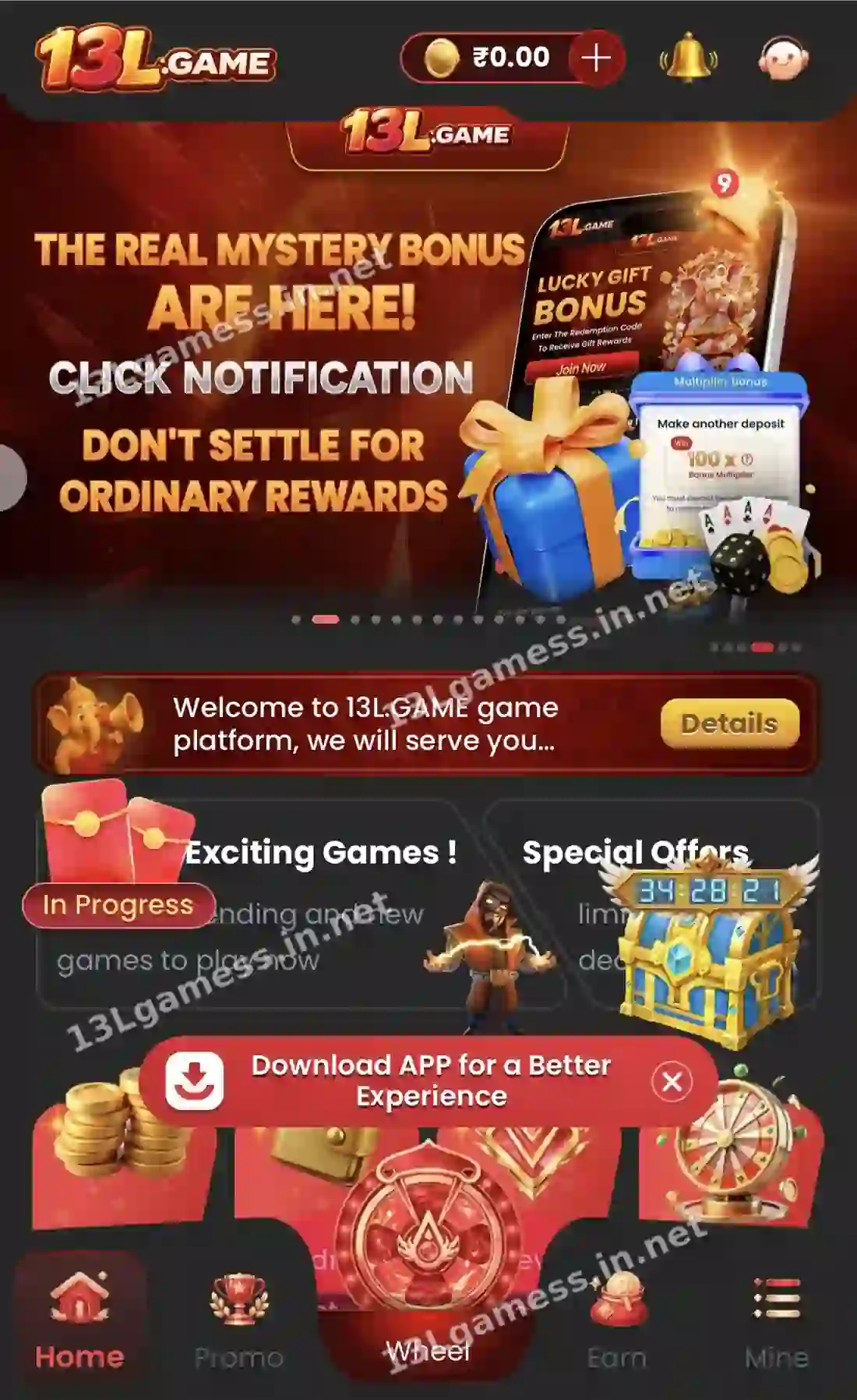
- Log in or register. The download banner appears on the Home screen after you sign in.
- Tap “Download APP”. Chrome downloads the APK file. Wait until it finishes.
- Allow this install. Android asks to “Allow from this source” for Chrome. Turn it on only for this install.
- Install and open. Tap Install, then Open, and sign in with your +91 number and password.
- Turn the permission off. Go to Settings → Apps → Chrome → Install unknown apps and switch it off again.
Ready to open 13L Game?
These buttons open the 13L Game site and may be affiliate links. We are not the operator. 18+ only.
13L Game app at a glance
| Item | Details |
|---|---|
| Platform | Android APK; web version for any phone including iPhone |
| Where to get it | “Download APP” banner inside the logged-in 13L Game site |
| Google Play Store | Not listed — real-money gaming apps are often distributed as APK |
| Account | Same login, balance and records as the website |
| Main tabs | Home, Promo, Wheel, Earn, Mine |
| Language | EN shown on the login and registration screens |
| Cost | Free to install |
App or website: which should you use?
| Android app | Website | |
|---|---|---|
| Speed on weak networks | Usually faster after install | Depends on the browser |
| Stays signed in | Yes | If cookies are kept |
| Works on iPhone | No | Yes |
| Needs storage | Yes | No |
| Updates | Re-download from the banner | Automatic |
How to use 13L Game on iPhone
- Open the 13L Game website in Safari.
- Tap the Share icon.
- Choose Add to Home Screen and tap Add.
- Open 13L Game from the new icon and log in.
Check these permissions before you install
A gaming app needs internet access and, at most, notifications and storage for downloads. Be careful if an APK asks for any of these:
- SMS or call logs — can read OTPs and banking messages.
- Accessibility service — can control your screen and tap buttons for you.
- Device administrator — makes the app hard to remove.
- Contacts, microphone or camera — not needed to play.
If a file you received asks for these, delete it and download again from the Download APP banner on the 13L Game site.
13L Game app not installing? Fixes
| Problem | Fix |
|---|---|
| “App not installed” | Free up 200 MB+ of storage and delete any older 13L Game app first |
| “Blocked by Play Protect” | Only continue if you downloaded from the in-app Download APP banner; otherwise cancel |
| Download stops | Switch to stable Wi-Fi and download again |
| App opens to a blank screen | Check internet, clear the app cache, then reopen |
| App crashes after login | Update Android System WebView and Chrome from Play Store |
More fixes: 13L Game app not working.
How to update the 13L Game app
APK apps do not update through the Play Store. When a new version is available, the site or app usually asks you to download again. Download the new file from the same banner and install it over the old one — your account and balance stay on the server, so you lose nothing.
Frequently asked questions
Is the 13L Game app on the Google Play Store?
No. Get the APK from the “Download APP” banner inside the 13L Game site.
Is the 13L Game APK free?
Yes. The app is free to install. Never pay anyone for a download link.
Is there a 13L Game app for iPhone?
Use the website in Safari and add it to your home screen. It works like an app.
Do I need a new account for the app?
No. Log in with the same +91 number and password you use on the website.
Is a “13L Game mod APK” or hack real?
No. Game results are decided on the server, so a modified app cannot change them. These files are used to steal accounts.
Why does my phone warn me about the APK?
Android warns about every app installed outside the Play Store. Install only the file you downloaded yourself from the in-app Download APP banner.
Key takeaways
The short version of this page. For the full picture, start at our 13L Game online homepage.
- Download only from the “Download APP” banner inside the logged-in site.
- The app is not on the Play Store, so APK installs are normal.
- Turn “install unknown apps” off again after installing.
- Avoid APKs that ask for SMS, accessibility or device-admin access.
- iPhone users can add the website to the home screen.
